Setting up takes about 15 minutes, most of it on Stripe's form. This guide goes through each screen in order, so you know what's coming and what to have to hand.
There are five steps:
- Create your account
- Confirm your email address
- Tell us about your first race
- Connect your bank account through Stripe
- Pay the £35 setup fee
Before you start
Have these ready and the Stripe step goes much faster:
- An email address you check. We send a link to it before you can go further.
- Your group's details: its full name and, if it has them, its charity number or company number.
- Details of whoever's in charge. Stripe asks for their name, date of birth and home address, and sometimes a photo of their ID. If that isn't you, sit down with them for this step.
- A bank account in the group's name, with its sort code and account number. This is where the money from your race is paid.
- A mobile phone, for the code Stripe texts you.
You don't need all of this to start. You can create your account and fill in your race now, and come back to Stripe later.
1. Create your account
Go to the sign-up page, or press Organise a race at the top of any page.
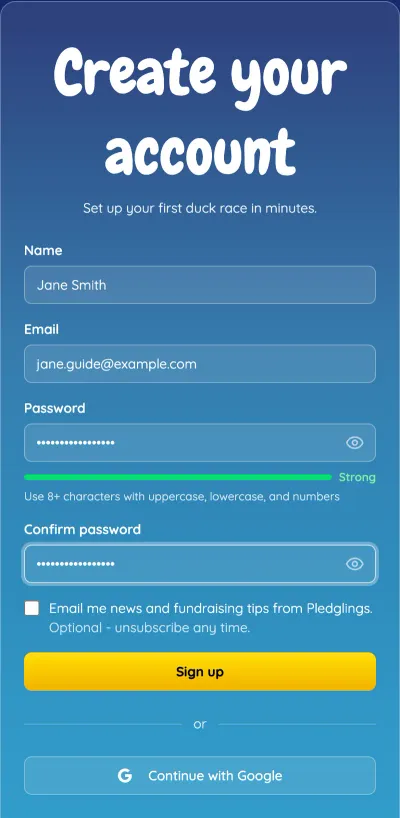
Fill in your name, email address and a password. The password needs at least 8 characters, and the bar underneath shows how strong it is. Using upper and lower case letters and a number makes it stronger.
The tick box for news and fundraising tips is optional and starts unticked. Leave it if you'd rather we only email you about your races.
Prefer not to make another password? Press Continue with Google to sign up with your Google account instead. You'll skip the next step, because Google has already confirmed your email address.
Press Sign up.
2. Confirm your email address
We send you an email with a link in it. This makes sure race updates and receipts reach you, and that nobody can sign up with your address.
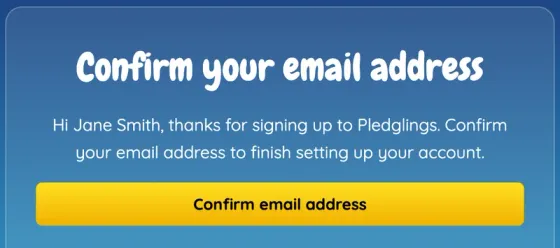
Open the email from Pledglings and press Confirm email address.
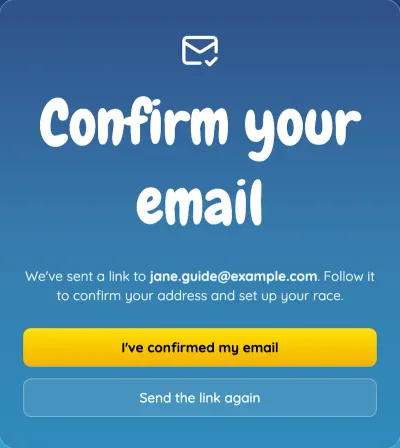
The link works for 24 hours. If the email hasn't arrived after a few minutes, check your spam or junk folder, then press Send the link again. If you confirmed it on another device, such as your phone, come back to this page and press I've confirmed my email.
3. Tell us about your first race
Confirming your email takes you straight to the New race form. It only asks for the essentials. Ducks, prices and prizes come afterwards, from your race's settings.
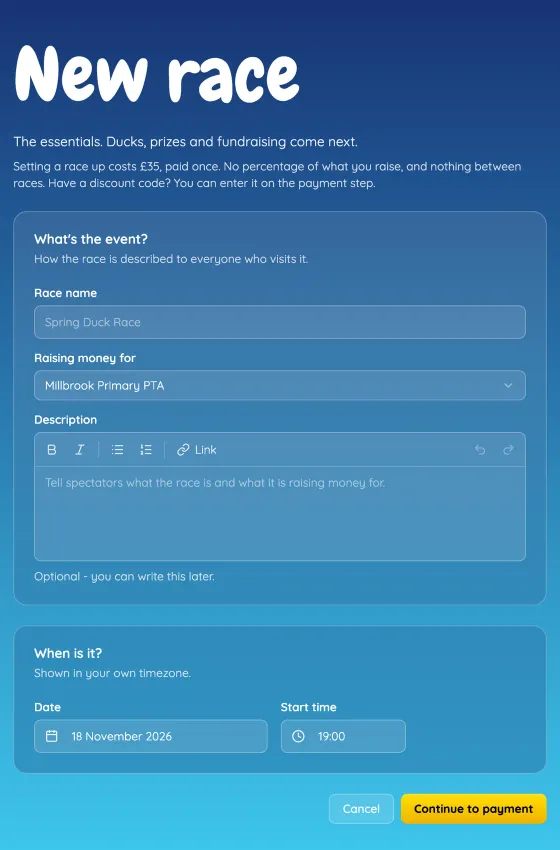
- Race name is what supporters see, and it becomes the race's web address. Something like "Millbrook Summer Duck Race" is clearer than "Duck Race 2026".
- Raising money for is your charity, school or club. Every race you run later shares it, so use the group's proper name.
- Description is optional. A line about what the money is for helps: "new books for the school library" raises more than "general funds". You can write or change it later.
- Date and start time start a month away at 7pm. Change them to suit your event. Start times are on the quarter hour, and you can move the race later if plans change.
Press Continue to Stripe setup. If your group is already connected to Stripe, the button says Continue to payment instead, and you can skip to step 5.
4. Connect your bank account through Stripe
Stripe is our payment provider. It takes the card payments for your ducks and donations, and pays the money into your group's bank account.
The money never comes to us. Each payment goes into your group's own Stripe account, and Stripe pays it out to your bank, usually within a few working days. Your supporters see your group's name on their bank statements, not ours.
To do that, Stripe has to know who it's paying. UK rules require it to check the details of your group and the person in charge, so you fill in Stripe's own form. Nothing you enter there passes through Pledglings.
Stripe's form opens in the same tab. It takes about 10 minutes, and goes roughly like this:
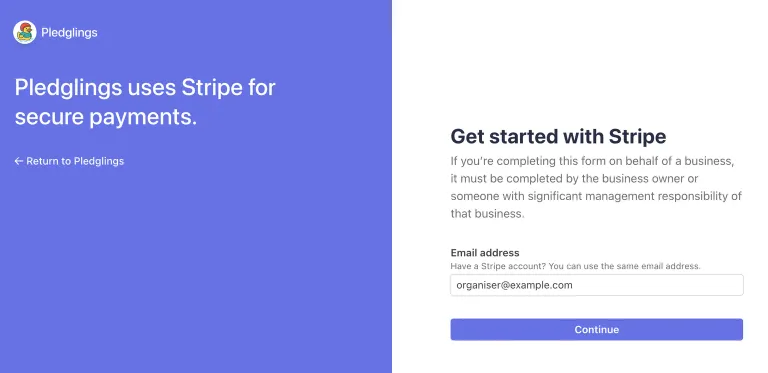
Your email address. We fill in the one you signed up with. If your group already has a Stripe account, you can use the same email.
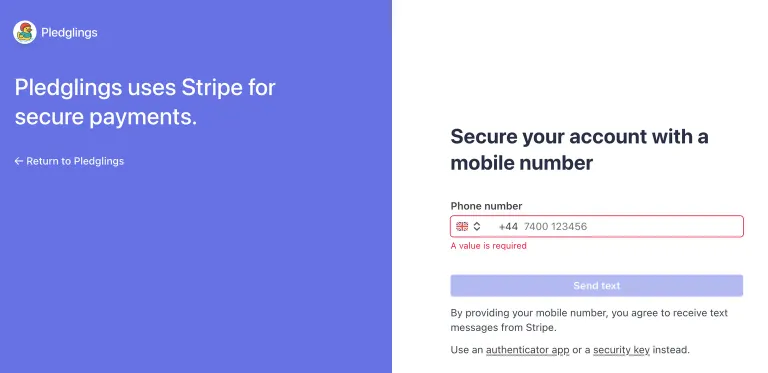
Your mobile number. Stripe texts you a code to type in. Next time you sign in to Stripe, it texts you again, so use a number you'll keep.
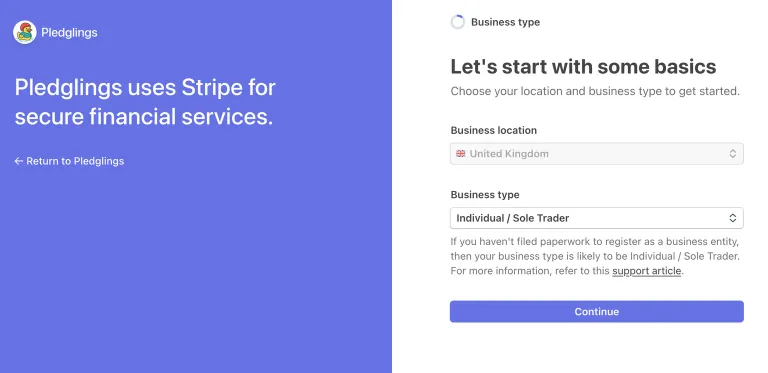
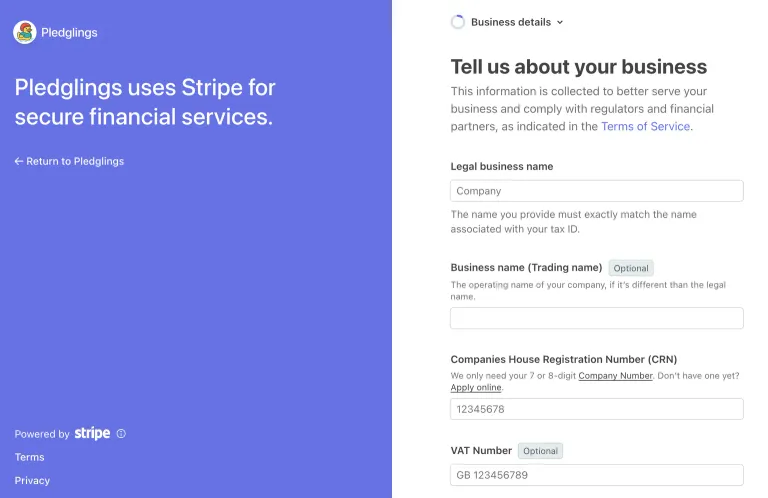
Your group. Stripe asks what kind of organisation you are, such as a registered charity, a company or an unincorporated association, and then for its details: name, address, and charity or company number if it has one. It may also ask for a website. Your race's page is fine if you don't have one. When Stripe asks for your Industry, you'll find charities listed under Membership organisations.
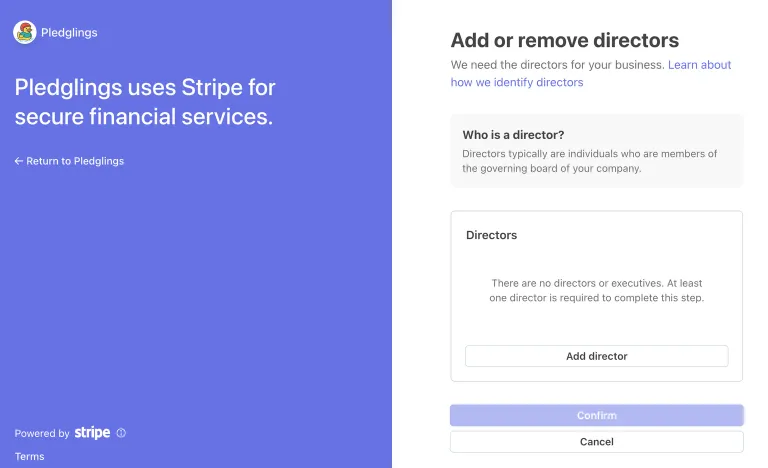
The person in charge. Their name, date of birth, home address and the email and phone number Stripe can reach them on. Stripe sometimes asks for a photo of a passport or driving licence too. Depending on your group's type, Stripe may call them directors: press Add director for each one, and add at least one before you can carry on.
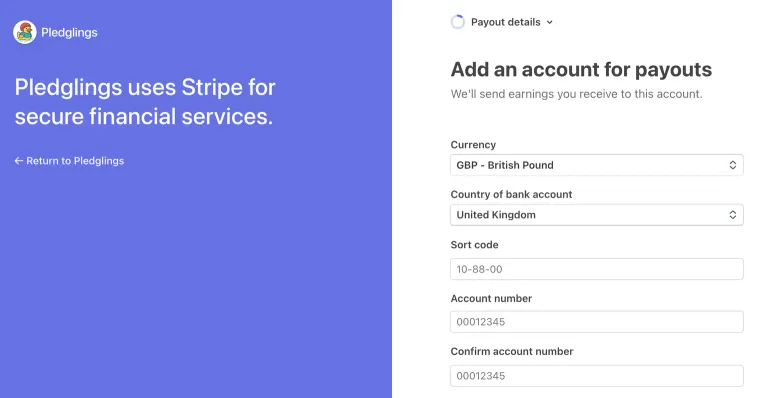
Your bank account. The sort code and account number of the account the money should go into. It needs to be in the group's name, not a personal account.
Your public details. The name your supporters see on their bank statements, which Stripe calls the statement descriptor, and a phone number they can ring with questions about a payment. Use a name they'll recognise, such as your group's name, so nobody mistakes a payment for one they didn't make.
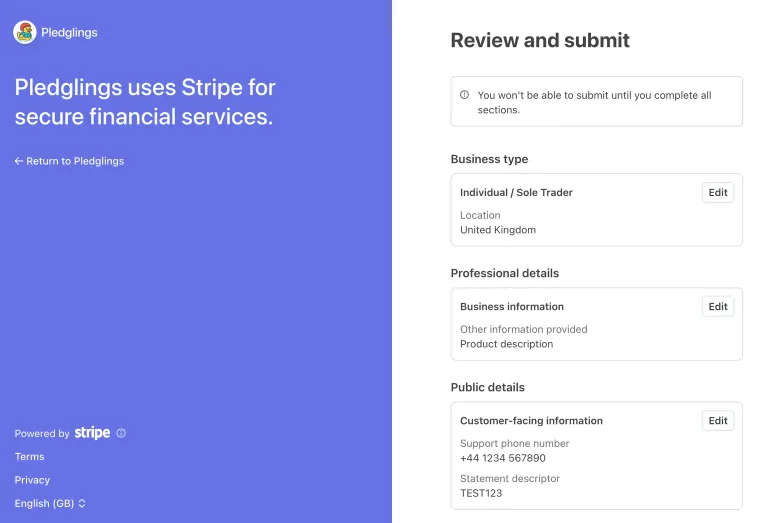
Check and submit. Stripe shows everything on one page. Check it and press the button to submit.
Stripe then sends you back to Pledglings, to the race you were setting up. If you stop part-way, you can come back to it later. Your race details are kept in that browser tab while you're on Stripe's form.
While Stripe checks your details
Stripe's checks can take anything from a few minutes to a couple of days. You don't have to wait for it: you can pay for your race and carry on setting it up in the meantime.
Until Stripe has finished, a banner at the top of your race's page says what it's waiting for. Supporters can't adopt ducks or donate until it's done, so connect Stripe well before you start sharing the link. If Stripe needs anything else, the banner's Continue setting up button takes you back to its form.
5. Pay the £35 setup fee
Once you're back from Stripe, press Continue to payment. A race costs £35, paid once. We don't take a percentage of what you raise, and there's nothing to pay between races. If you have a discount code, press Add code on the payment form and enter it there.
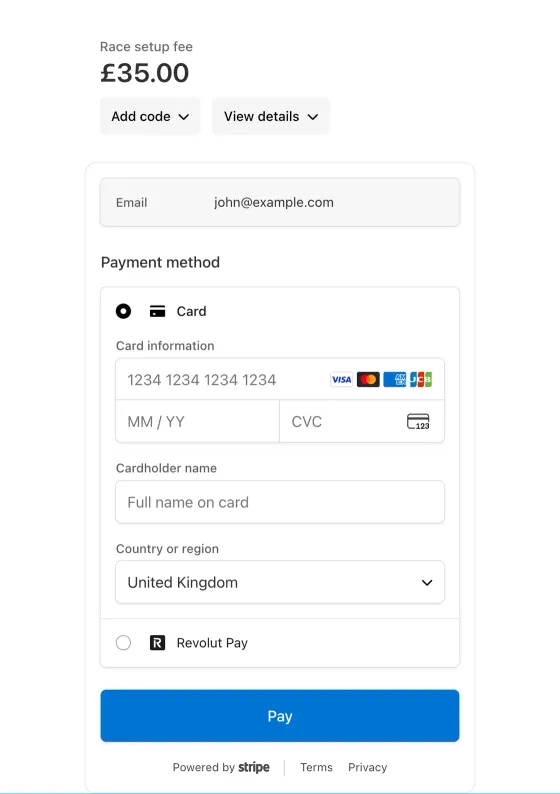
When the payment goes through, your race is created and you go to its dashboard. That's it: your account is set up, and you can start adding ducks, prices and prizes.
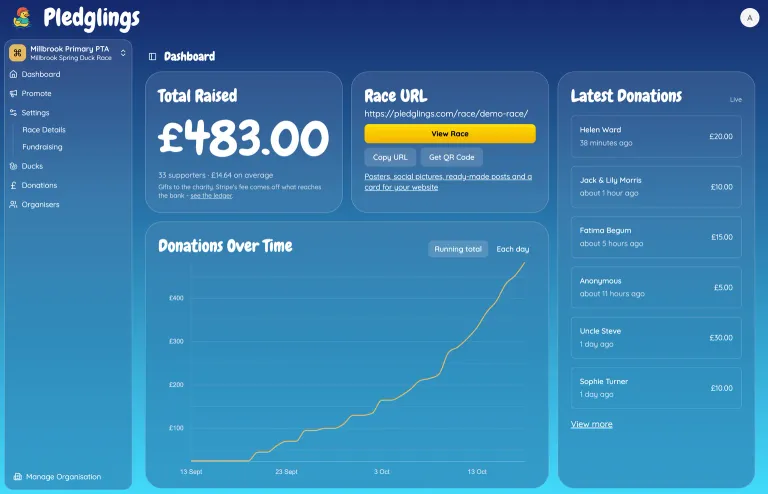
The dashboard starts at £0. Once supporters start giving, it shows what you've raised, a chart of donations over time and the latest gifts as they come in, like this:
Questions
Do I need to be a registered charity? No. Schools, PTAs, clubs and community groups run races too. Stripe asks what kind of group you are and changes its questions to match.
What does Stripe charge? Stripe takes a card processing fee from each payment, around 1.5% + 20p for a UK card. Supporters can choose to cover it, so the full amount reaches your group. See our pricing for the current figures.
Can someone else help run the race? Yes. Once the race is set up, you can invite other organisers from its Organisers page. They create their own account from the invite, and don't need to go through Stripe again.
I want to run another race later. Sign in and start a new race. Your group is already connected to Stripe, so you go straight from the race details to payment.
Can I sign in to Stripe myself? Yes. Your group has its own Stripe account, and you can sign in at dashboard.stripe.com with the email you used on Stripe's form to see payments and payouts.
What next?
With your race set up, how to run a virtual duck race covers pricing your ducks, prizes and sharing the link. If you have prizes, read adopt a duck or race for your class for the format that avoids most lottery questions.
Not ready to sign up yet? Try the free online duck race first. There's nothing to sign up for.